
VIMSVIMS

How to choose a safety management system in 2026/2027

A safety management system is software that keeps risk assessments, incidents, corrective actions, training, chemicals, inspections and documentation in one place. Choose it by the processes it must improve rather than by the number of features: field usability, data security, ease of deployment and total cost matter most.

This guide helps you compare vendors fairly — even if you do not end up choosing V-IMS. It covers criteria, vendor questions, common pitfalls and examples of companies starting with a single module.

  • Safety software
  • EHS system
  • QHSE
  • Selection criteria
  • Pilot

Published: 2026-10-11 · Updated: 2026-10-11 · 14 min read · Varilo deployment team

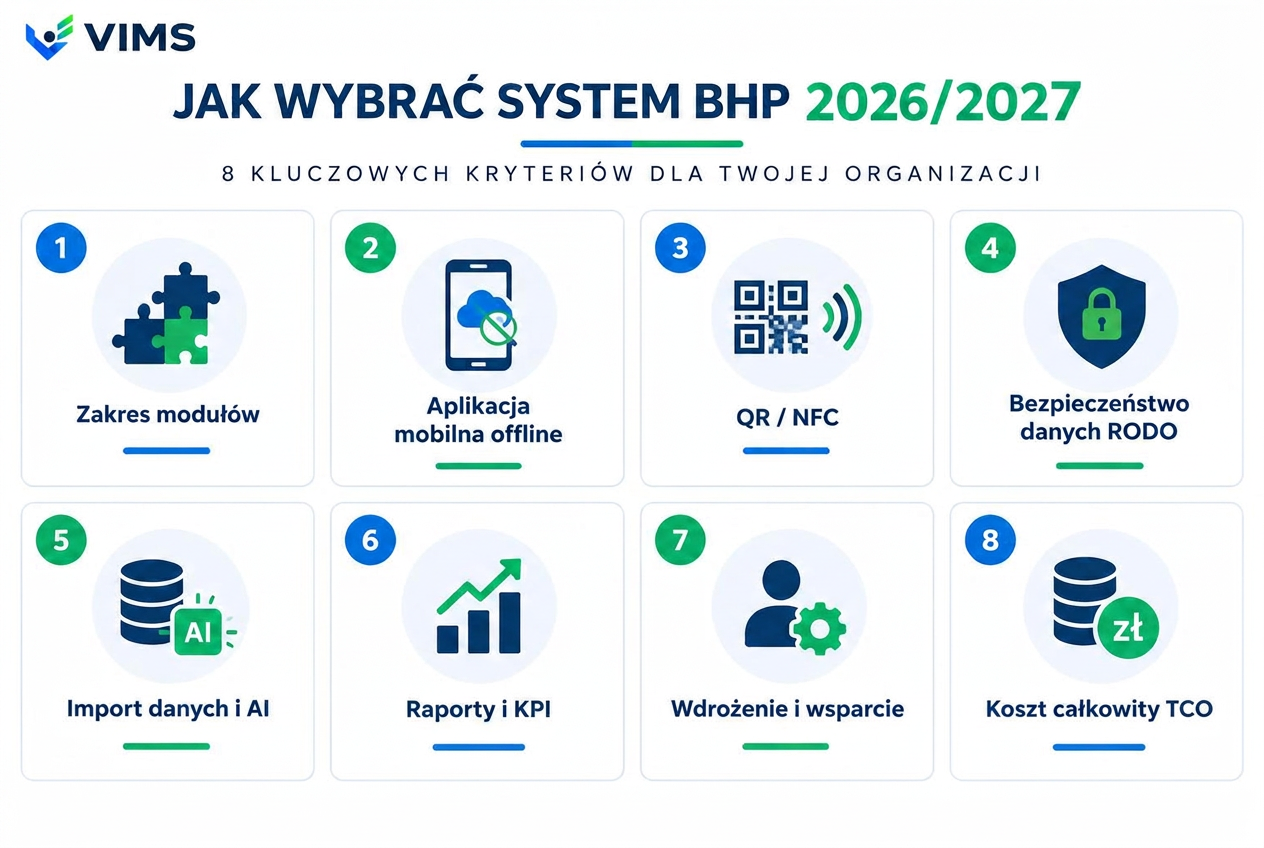
VIMS infographic — 8 criteria for choosing safety management software in 2026/2027

1. Start with processes, not features

The most common mistake is comparing feature lists. Nearly every vendor has “risk assessment” and an “incident log”; the differences appear in daily use: how many taps a shop-floor report takes, whether a corrective action reminds people of its deadline, whether an SDS flows into the workstation card.

List the 3–5 processes that hurt most today — hazard reporting, risk assessment updates, chemical inventory, inspections and machine checks, accident documentation. For each, note who is involved, how long it takes and what gets lost. That is your requirements list.

Safety rarely works in isolation. Maintenance runs inspections and LOTO, quality runs CAPA and audits, food plants run HACCP. A system connecting these areas removes duplicate registers.
2. Eight objective selection criteria

Scope and modularity — can you buy only what you need now and add modules without migration? Mobile app — can a worker report an event by phone in seconds, with a photo and location? QR/NFC — can machines, checkpoints and chemical stores be tagged so a scan opens the right form?

Data security — where are servers, does the vendor sign a data processing agreement, how are access control and backups handled? Import and AI — can you bring existing spreadsheets and PDFs, with AI extracting data from safety data sheets instead of retyping?

Reports and KPIs — incident rates, open actions, training and medical deadlines without manual counting. Deployment and support — who configures it, how long does start-up take, does support know local regulations? Total cost of ownership — subscription, per-site and per-user surcharges, deployment, training and staff time.

3. Questions to ask every vendor

Can I test the system on my own data for at least 30 days, and do the data stay after purchase? What happens to my data if I leave — in what format can I export it? How are limits counted: per site, per employee, per account?

Does the mobile app cope with poor coverage? Who updates document templates when regulations change? Can people without an account — contractors, visitors — report a hazard via QR code? What is the escalation path when a corrective action is overdue?

4. Five steps to a decision — with a pilot

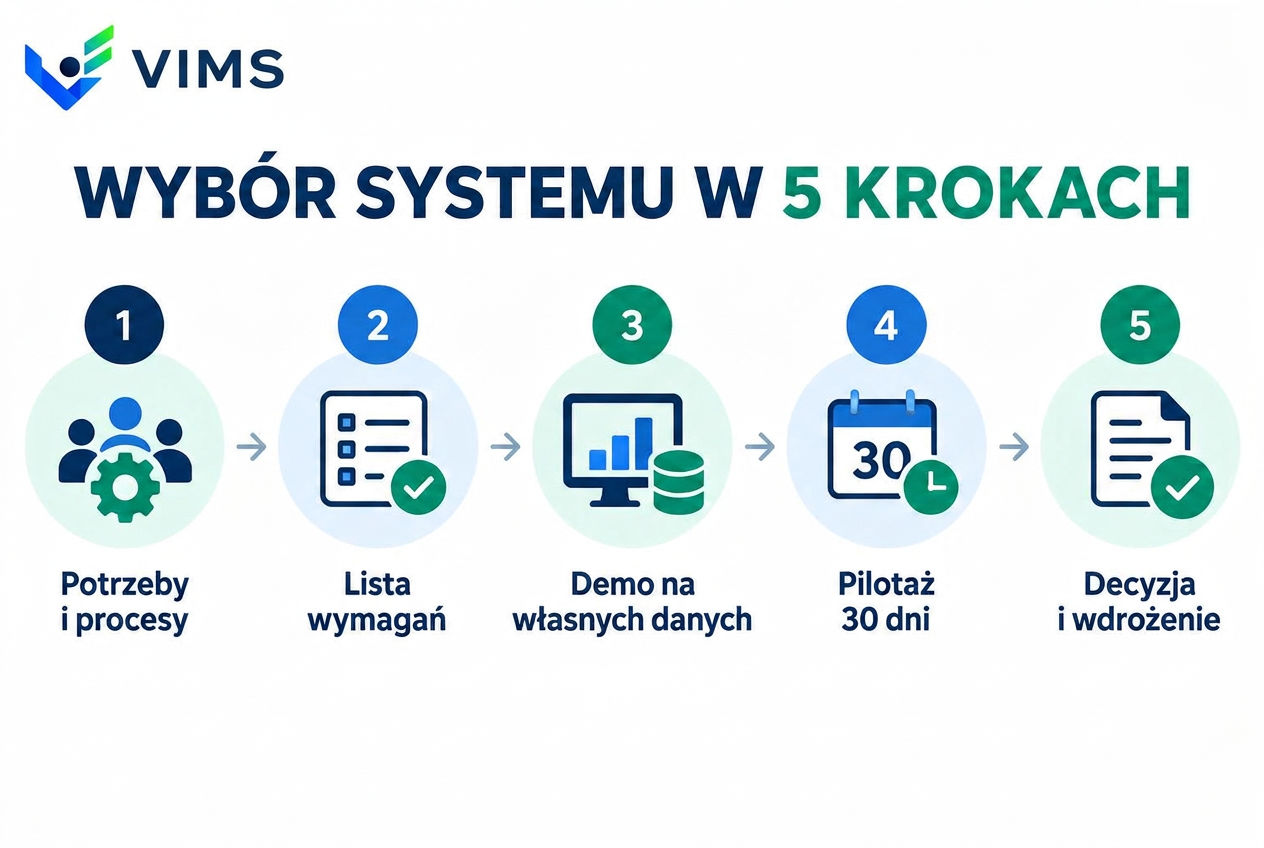
The safest path: define needs, write requirements, run a demo on your own examples, pilot on one site or department, then decide. A pilot shows whether employees will actually use the system — the single most important success indicator.

Measure concrete things during the pilot: number of employee reports, time from report to closed action, time to prepare a management report. Compare them with the period before the test.

Choosing safety software in 5 steps: needs, requirements, demo, 30-day pilot, decision
Five steps to choosing a system — a pilot on your own data is the best test before deciding.

5. Common pitfalls

Buying “for the future” — a large package of which 20% is used. No process owner on the client side — a system without a responsible person quickly empties. Hidden costs: paid deployment, surcharges for mobile modules, fees for data export.

Another pitfall is treating the system as “software for the safety department”. The biggest benefits come when all employees report and actions are carried out by maintenance, quality and production.

6. V-IMS use cases

A manufacturing plant starts with Hazard reporting using QR codes in its halls: a worker scans, takes a photo and the report reaches the owner with a deadline. A few months later it adds QR/NFC inspection rounds and CAPA.

A company handling many substances deploys the Chemical and SDS register: AI-assisted PDF import, GHS pictograms, workstation cards and reminders about outdated sheets. A safety consultancy serving a dozen clients uses a partner package to run risk assessments, training and accident records for each client separately.

The common denominator: start with the most painful process and expand once the team sees results.

Comparison worksheet — what to check

Use this table as a template to score offers. Rate each vendor from 1 to 5.

CriterionWhat to checkHow V-IMS handles it
ModularityCan you buy a single module?Yes — start with one module, add more within the same organisation
Field workApp, photos, QR/NFCMobile app, QR codes and NFC tags, photo reports
DataLocation, DPA, exportData processing agreement, isolated organisation, data export
ImportSpreadsheets, PDFs, SDSAI-assisted data import, including safety data sheets
TrialPilot on your own data30 days of the full package; data stay after purchase
CostSubscription, surcharges, deploymentTransparent pricing and an online calculator

Key takeaways

  • Choose for 3–5 specific processes, not for the longest feature list.
  • Test the mobile app and QR/NFC in real shop-floor conditions, not only in a demo.
  • Ask about data export, the DPA and how limits are counted before signing.
  • Run a pilot on your own data and measure employee engagement.
  • Count total cost: subscription, surcharges, deployment and team time.

Related modules

VIMS module

Risk assessment — a living document instead of a binder

Run risk assessment online: hazards, risk levels, control measures and reviews in one place, connected to what actually happens on site.

VIMS module

Accidents and incidents — the full investigation workflow without spreadsheets

Report an event in seconds, run the root cause analysis, plan actions and close the case with complete documentation in one place.

VIMS module

Chemicals and SDS — a live substance register instead of a binder

One substance register, current safety data sheets available from a phone and full control over what is used where on site.

Hazard reporting

Hazard reporting — the signal from the shop floor that does not get lost

The cheapest information in a plant is the one that arrives before an accident. This module shortens the path from spotting a hazard to deciding on an action, and makes sure the reporter hears back.

Rounds and inspections

Rounds and inspections — regular presence on the floor instead of a quarterly report

A safety walkaround is a cheap prevention tool, but only when it happens regularly and ends with an assigned task. This module enforces both conditions.

VIMS module

Smart data import and AI assistant — stop retyping your documents

The most expensive part of rolling out a safety system is not the licence; it is the weeks spent retyping employee records, medical checks, qualifications and safety data sheets. This module shortens that stage and makes sure nothing enters a register without human approval.

Frequently asked questions

Does a small company need safety software?

Not always a full system — but even a small company benefits from digital training, medical and hazard records. Modular systems let you start with one area for a small subscription.

What is the difference between safety software and an EHS/QHSE system?

Safety software usually covers occupational safety records. An EHS/QHSE system also covers environment, quality, maintenance and food safety, so corrective actions and audits live in one place.

How long does deployment take?

A single module such as QR reporting can go live in days. A full deployment with data import usually takes a few weeks, depending on the number of sites and data quality.

Can I migrate data from spreadsheets?

In V-IMS, yes — AI-assisted import moves employee, training or chemical registers without retyping. Always ask vendors about this before buying.

Test V-IMS on your own data

30 days of the full package, no card required. Check the system against your processes before you decide.